Project
Dexignlab
About the Project
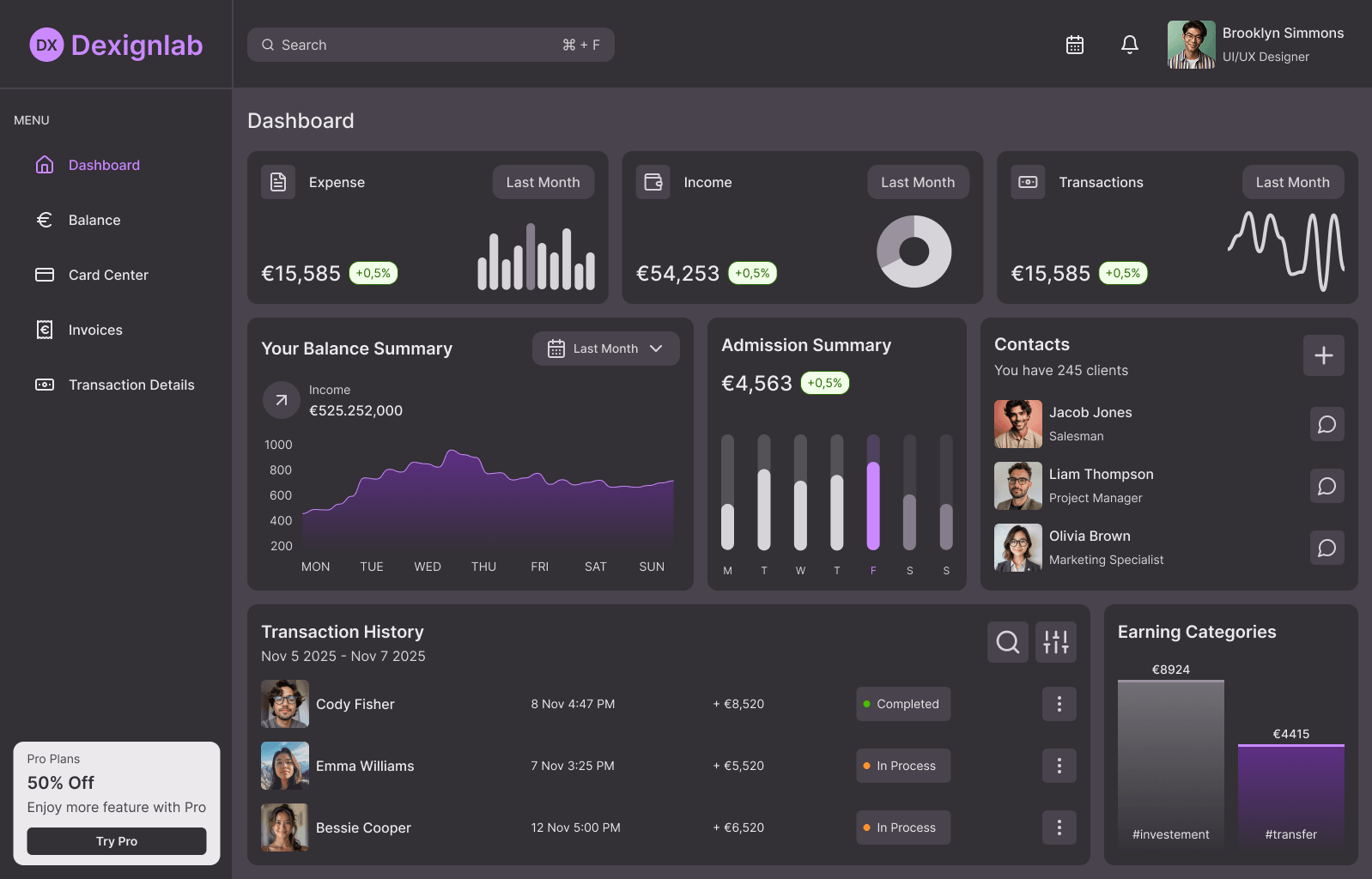
For this project, the challenge lay in bridging the gap between design and code. The assignment consisted of three main phases: selecting an inspiring dashboard on Dribbble, recreating it pixel-perfectly and customizing it in Figma (colors, typography, spacing), and finally building a fully functional coded version complete with smooth animations.
The end result is "Dexignlab," a modern and interactive financial/analytical dashboard that presents data in a clear and visually appealing way.
Core Features
- Fully Responsive Layout: The dashboard seamlessly adapts to various screen sizes using advanced CSS media queries. For instance, on smaller screens (under 896px), the sidebar automatically transforms into a convenient bottom navigation bar.
- Dark & Light Mode: The system features a custom
useThemehook that detects the user's system preferences and automatically applies the correct color theme (light or dark) using CSS variables. - Interactive Animations: By utilizing Framer Motion, the interface feels lively. This includes 'spring' animations on buttons for hover and click actions, smoothly loading chart bars, and an animated dropdown menu in the Balance Summary.
- Custom Data Visualization: Instead of relying on standard chart libraries, the data visualizations (such as the area chart with purple gradients and the interactive bar charts) were built from scratch using custom SVG paths and CSS.
How I Built This
This project required a strong combination of design insight and technical frontend skills. Here is how I approached it:
Step 1: UI Design & Prototyping (Figma) I started by analyzing a Dribbble concept and recreated it entirely in Figma. In doing so, I defined the visual identity myself, including the signature purple color palette, the use of the 'Inter' typeface for optimal readability, and consistent iconography.
Step 2: Project Setup & Architecture After finalizing the design, I set up the development environment using React and Vite for a fast and modern workflow. I structured the project into logical, reusable components such as the NavigationSidebar, TopBar, and modular widgets (e.g., TransactionHistory, Contacts, and AdmissionSummary).
Step 3: Styling & Design Tokens (CSS) Rather than using a CSS framework, I wrote my own robust CSS architecture. I translated all design decisions from Figma into CSS variables (Design Tokens) within the :root. This allowed me to centrally manage spacing (--space-1 to --space-9), font sizes, border radii, and the complete color palette for both light and dark modes.
Step 4: Adding Functionality & Animations To bring the interface to life, I integrated framer-motion. This enabled me to smoothly load and animate elements like statistics (<AnimatePresence>) and chart bars whenever the data changes. For the iconography, I used lucide-react, ensuring crisp and scalable SVG icons throughout the entire dashboard.