Project
Memory XL
About the Project
Memory XL is an innovative "Active Gaming" project that combines physical effort with digital game rules and interactive feedback. It elevates the classic memory game to a physical and technological level.
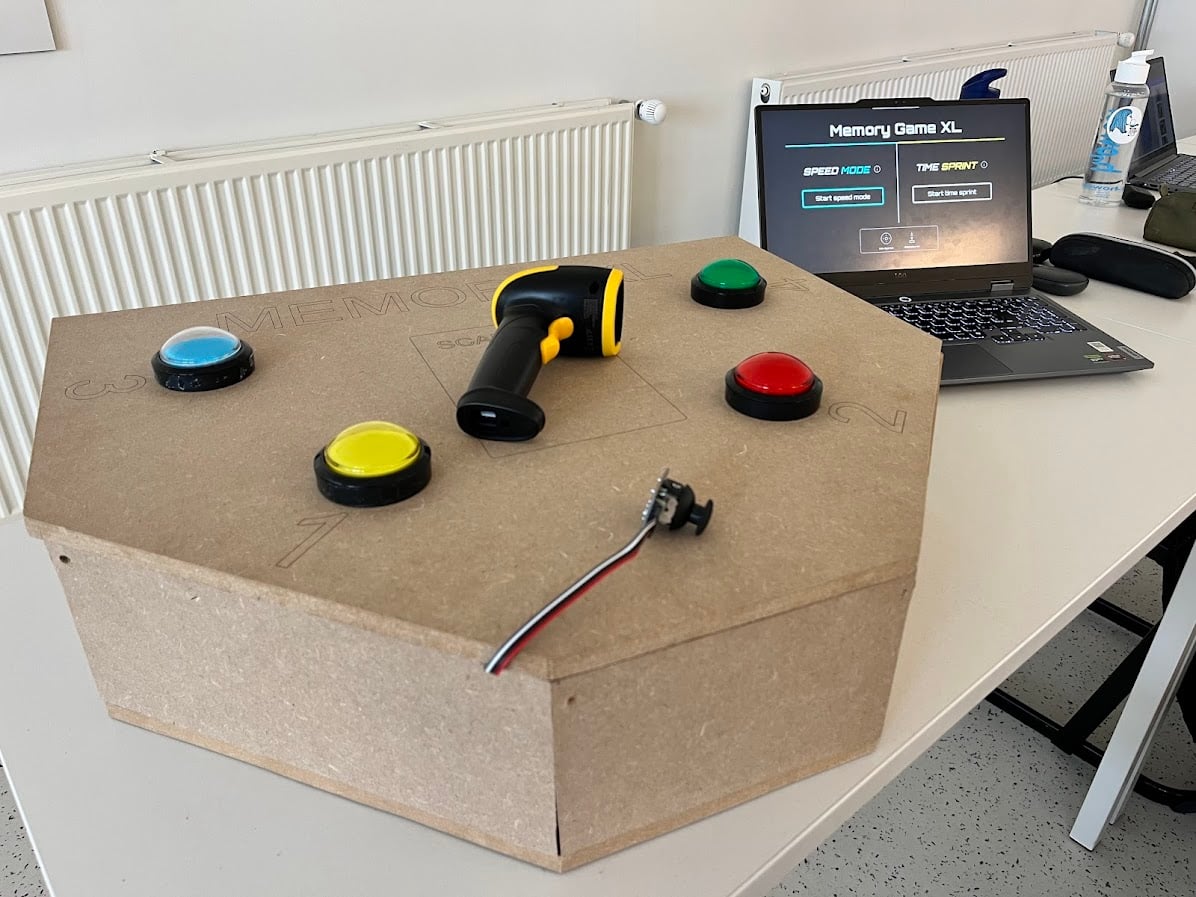
Instead of small cardboard cards, players use robust wooden tiles spread across a room. Using a wireless barcode scanner and a physical console (featuring arcade buttons and a joystick), teams compete against each other in various digital game modes.
Core Features
- Two Dynamic Game Modes: 'Time Sprint' (finding all pairs as quickly as possible) and 'Speed Mode' (finding as many pairs as possible within 30 seconds).
- Smart Interaction: Wooden tiles are equipped with unique barcodes (Code 128) that are read at lightning speed via a handheld scanner, ensuring no delay in the gameplay.
- Interactive Console: A custom-made wooden enclosure with illuminated arcade buttons, a joystick for menu navigation, and audio feedback via a buzzer.
- Live Dashboard: A responsive web application displays the timer, current scores, animations, and which team's turn it is on a large screen (via a projector or TV).
How We Built This (The Process)
We designed and realized this complex system entirely from scratch. The project required a combination of hardware engineering, software development (full-stack), and physical fabrication. Here are the steps I went through:
Step 1: Functional Analysis & Concept
- We started with a competitor analysis of similar systems (such as RFID/NFC and camera-based recognition).
- We deliberately chose barcode scanning because it is faster (zero input lag), cheaper to produce, and more robust, as the tiles do not contain fragile electronics.
Step 2: Hardware & Electronics Design The core of the control system is a Raspberry Pi, to which we connected various components:
- Arcade Buttons: To safely control the 12V LED lighting of the buttons with the 5V Raspberry Pi, I integrated a relay module (with galvanic isolation) into the circuit. The switching signals are connected to the GPIO pins via pull-down/pull-up configurations (using 470 Ohm resistors).
- Joystick Integration: Because a Raspberry Pi cannot read analog signals, I used an MCP3008 (Analog-to-Digital Converter) chip and configured it via the SPI protocol to read the X and Y axes of the joystick.
- Audio Feedback: For the buzzer, I applied 'low-side switching.' I connected a 2N2222 NPN transistor (amplifier/switch) with a 1k Ohm base resistor, allowing the Pi to safely switch the more powerful 5V current for louder feedback.
- Scanner: The wireless barcode scanner (2.4GHz) was connected via USB and read as a 'Human Interface Device' (HID).
Step 3: Software Engineering (Full-Stack) We divided the project into a backend and a frontend that communicate with each other in real-time:
- Backend (Python): I wrote scripts to control the hardware (GPIO, SPI) and calculate game mechanics. To prevent connection issues with the scanner, I implemented the
uhubctllibrary for software-based USB resets on startup. - Frontend (React): The interface was built with React (Node.js) and React Router v7 to navigate smoothly between the home screen, team selection, and scoreboard.
- Communication: To display the actions from the physical panel directly on the screen, I set up real-time communication via Socket.io.
- Kiosk Mode: I configured
systemdservices in Linux so that upon powering on, the Raspberry Pi automatically boots into 'Kiosk Mode' (Chromium fullscreen), making the device behave like a standalone game console.
Step 4: Fabrication & Laser Cutting (Maker Skills)
- Engraving Tiles: For the game pieces, I designed vector graphics and Code 128 barcodes in Illustrator and engraved them onto wooden boards with a laser cutter using the LightBurn software.
- Woodworking (Enclosure): The console is made from 12mm MDF. I calculated and cut the panels using a table saw, finishing the edges with perfect miters (22.5°) for a seamless fit. I accurately drilled the holes for the buttons using a 25mm spade bit.